Reliable information and diagnostic software
Victoria SSD/HDD is a third-party information and diagnostics software developed by Victoria Utility. This utility app enables you to secure all the files you have in your hard drive, SSD drives, and memory cards. It helps you to safeguard your documents by tracking the performance status of your drivers and by conducting surface scans that will identify potential issues. It is very user-friendly and manageable for all types of users.
Top Recommended Alternative

Convenient performance tracker
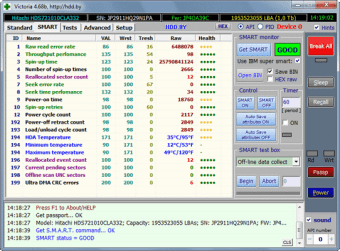
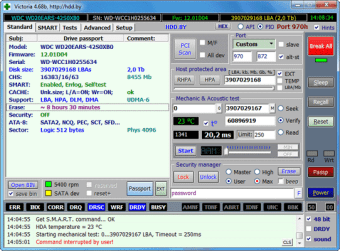
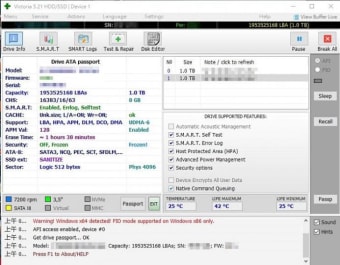
Victoria SSD/HDD gives you access to a lot of useful information regarding your drivers. This application will analyze the details of your hard disk, such as its model number, features, and total storage size. This information will help you a lot in assessing the performance of your hard disk drivers.
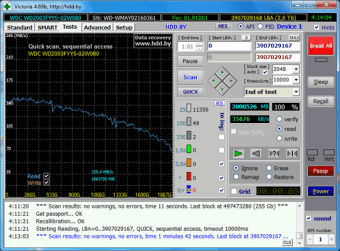
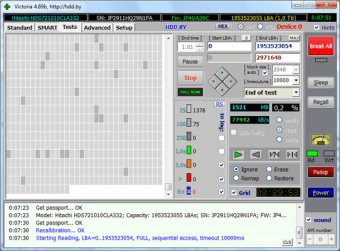
The software also performs surface scans that detect potential issues on your HDD or SSD drives. This program offers different solutions when a problem in your files is spotted. In these cases, it enables you to ignore, remap, restore, or even erase the error detected in your drivers.
Beginner users of this app should not be afraid to use it due to its simplicity. It’s equipped with an intuitive interface and easy-to-use tools that help you navigate and enjoy the basic features without any issue.
However, other functionalities and surface-scanning settings, like the timeout length, standard presets, and options for a passport, require advanced technical knowledge to understand and configure. Regardless, this program is still a must-have tool for your computer as it will come in handy in recovering any possible misplaced files.
Dependable tool for drive health
Overall, Victoria SSD/HDD stands out as a reliable solution for monitoring and diagnosing storage devices. It delivers detailed drive information, effective surface scanning, and practical recovery options in a user-friendly environment. While some advanced settings may challenge beginners, its core features remain accessible and valuable. For users seeking to maintain drive health and prevent data loss, it proves to be a dependable utility.